
VoIP Phone Systems for Atlanta Businesses
Cloud business phone systems, hosted PBX, unified communications and expert installation since 1998. Authorized Intermedia Unite® and Zultys deployment specialists serving commercial clients across metro Atlanta.
VoIP Phone Systems for Atlanta Businesses, Engineered Rather Than Ordered Off a Website
DataTel 360 designs, installs and supports VoIP phone systems for Atlanta businesses. Our solutions include Intermedia Unite cloud phone system communications, Zultys business phone systems, hosted PBX, business SIP trunking, mobile and desktop apps, automated attendants, call recording and multi-location communications. Since 1998, Atlanta organizations have trusted our team for business telephone systems, network infrastructure and ongoing local support.
What Is a VoIP Phone System for an Atlanta Business?
A VoIP phone system carries your business calls over your internet connection instead of traditional copper phone lines, replacing the equipment in your phone closet with software you manage from a browser. For most Atlanta businesses that means lower monthly cost, one dial plan across every location, phones that work identically at home and at the office, and features — auto attendants, call queues, recording, voicemail transcription, video meetings — that used to require a five-figure hardware purchase. DataTel 360 designs, installs and supports these systems on the Intermedia Unite® cloud platform and the Zultys MX on-premise platform, and has been doing commercial telecom work in Atlanta since 1998.
Buying a phone system is easy. Buying the right phone system, on infrastructure that can actually carry it, and cutting over without losing a single call, is the part that goes wrong.
Most VoIP problems in Atlanta offices are not VoIP problems. They are cabling problems, switch problems, bandwidth problems, or firewall problems that only became visible when voice traffic — the least forgiving traffic on any network — started running across them. A file transfer that stalls for 200 milliseconds is invisible. A phone call that stalls for 200 milliseconds costs you a customer. That distinction is the entire reason DataTel 360 approaches a phone system as an infrastructure project rather than a subscription signup.
We have been installing commercial communications infrastructure in this market since 1998 — through the shift from key systems to digital PBX, from digital PBX to IP, and from IP to cloud. The same crews that pull your Cat6A and terminate your fiber are the ones who program the auto attendant and stand in the building on cutover morning. Nothing gets handed to a subcontractor in another state, and nothing gets blamed on "the network" by a vendor who never looked at it.
Key takeaways
- Cloud VoIP, hosted PBX, on-premise IP PBX and hybrid deployments
- Authorized Intermedia Unite® and Zultys business phone systems
- Site survey and network readiness testing before any quote is issued
- Number porting managed end to end, with zero-gap cutover
- Microsoft Teams Phone via Direct Routing or Operator Connect
- Cabling, switching, PoE, QoS and UPS handled by the same company
- Multi-site dial plans, call queues and centralized administration
- Emergency support, moves, adds, changes and legacy PBX service
Why Atlanta Businesses Choose DataTel 360
We are a commercial-only contractor. We do not sell residential service, we do not resell a single carrier's product regardless of fit, and we do not quote a system we have not seen the building for.
28+ years in this market
Serving Atlanta businesses since 1998. We have supported systems through three generations of telephony and know which buildings, carriers and closets hide problems.
Atlanta based, locally staffed
Local engineers and local trucks. When a cutover needs a body in the building at 6:00 a.m., that body is thirty minutes away, not on a flight.
Commercial only
Offices, clinics, plants, warehouses and multi-site operations. Every process we run — badging, safety, after-hours access, change control — is built for commercial environments.
Certified engineers
Manufacturer-certified on both platforms we deploy, plus structured cabling and fiber certifications. The person programming your call flow is the person who understands the underlying network.
Multi-location deployments
One dial plan, one directory, one administrator across every branch. We have rolled systems out across dozens of sites without a separate project manager per building.
Emergency support
Total outages, failed circuits, storm damage and carrier events. Emergency telecom response for businesses that cannot wait for a ticket queue.
Vendor-neutral recommendations
We deploy cloud and on-premise. Because we are not locked to one, the proposal reflects what your call volume and compliance requirements actually need.
Infrastructure under one roof
Cabling, fiber, switching, Wi-Fi and voice from one contractor. No finger-pointing between the phone vendor and the cabling vendor when audio breaks up.
Worldwide deployment
We install phone systems wherever our clients operate — other states, other countries, other continents. One point of contact, one standard and one invoice for the entire rollout.
Environments we work in every week
Different buildings break phone systems in different ways. A warehouse needs overhead paging and durable handsets; a clinic needs HIPAA-conscious recording and after-hours routing; a law firm needs clean call handling and no dropped clients. We build for the environment, not the brochure.
Cloud, On-Premise or Hybrid? Talk to an Atlanta VoIP Engineer.
Most companies do not need a sales pitch — they need someone to look at their call volume, their building and their existing circuits and tell them the truth. That is what the consultation is for.
Business VoIP and Cloud Phone System Solutions
"VoIP" describes a technology, not a design. Where the call-processing intelligence lives — in a data center, in your server room, or split across both — is the decision that shapes cost, control and risk for the next seven years.
Cloud VoIP
With cloud VoIP, the phone system itself runs in a carrier-grade data center. Your office contains phones and a network connection, nothing more. Calls arrive at the provider, get processed by their platform, and are delivered to whichever device your rules point to — a desk phone in Marietta, a laptop in a home office, a mobile app in a truck.
The business case is straightforward. Capital expense collapses into a predictable monthly per-user fee, which finance departments generally prefer and which scales cleanly when headcount moves. Upgrades, patches and security updates happen on the provider's side, so the system never becomes the eight-year-old box nobody wants to touch. Adding a new office becomes a shipping question rather than an engineering project. And because the call-processing brain is not in your building, a power failure, a burst pipe or a construction crew cutting a fiber does not take your main number offline — calls simply route somewhere else.
Best fit: businesses with distributed or hybrid staff, companies opening or closing locations, organizations without dedicated IT, and any operation that wants predictable operating cost instead of periodic capital projects.
Hosted PBX
Hosted PBX is the direct replacement for the traditional PBX cabinet: extensions, auto attendants, hunt groups, paging, voicemail and call routing, delivered as a service. The distinction from generic cloud calling is that a hosted PBX preserves the structured call handling a business already depends on — department extensions, front-desk transfer behavior, coverage paths, overhead paging integration — rather than forcing everyone into a flat list of users.
For companies whose receptionist knows exactly how calls should move through the building, this matters enormously. A migration should feel like the same phone system with better tools, not like retraining thirty people on someone else's idea of how calls should work. We document the existing dial plan before we build the new one, so extension numbers, transfer habits and coverage rules carry forward.
Best fit: established offices replacing an aging PBX, medical and professional practices with defined call flows, and any business where receptionist workflow and department routing must survive the migration intact.
On-Premise IP PBX
An on-premise IP PBX keeps the call-processing system inside your building — as an appliance or as a virtual machine on your existing hypervisor. You still get IP phones, softphones, mobile apps and modern features; what changes is who owns the platform and where the data lives.
Three requirements push businesses toward on-premise. First, cost at scale: past a certain user count, a one-time license plus maintenance is meaningfully cheaper over five to seven years than per-user subscriptions that never stop. Second, control: deep call-flow customization, direct database-level CRM integration and locally retained call recordings are far easier when you own the system. Third, resilience of a different kind — if your internet fails, an on-premise system with local SIP trunks or a surviving PSTN gateway keeps internal calling, paging and door-release intact, which matters in a plant or warehouse where internal communication is a safety function.
Best fit: manufacturing, distribution, healthcare, contact centers, and organizations with strong IT teams, retention requirements, or 100+ users where subscription math stops working in the cloud's favor.
Hybrid Systems
Hybrid deployments put the system where each part of the business needs it. A common Atlanta pattern: an on-premise Zultys MX at the headquarters or plant handling contact center, paging and analog devices, with cloud extensions serving branch offices and remote staff on the same dial plan. Another: a cloud platform for everyday calling with a local gateway retained for elevator lines, fire panels, fax and overhead paging — the analog reality that never quite disappears from a real building.
Hybrid also describes migration in stages. A company with a functioning but aging system does not always need a single dramatic cutover; departments can move in waves while both systems interoperate through SIP, which reduces risk and spreads cost. The engineering is more involved, but for a business that cannot afford a bad Monday, staged migration is often the right call.
Best fit: multi-site companies with one anchor facility, businesses with significant analog or legacy device dependencies, and organizations that want to modernize without a single high-risk cutover.
VoIP Features for Modern Atlanta Businesses
Feature lists are easy to skim and easy to ignore. Here is what these capabilities change about how a business operates.
Remote workforce support
Staff keep their extension, caller ID, voicemail, directory and transfer ability from anywhere. Nobody has to publish a cell number, and nobody loses a call because they worked from home that day. See mobile VoIP and remote workforce solutions for how we deploy it.
Softphones
A desktop application turns a laptop and headset into a full-featured phone with click-to-dial from the browser and CRM. For inside sales and support teams this removes the physical handset entirely and cuts several seconds off every outbound call — which compounds fast across hundreds of dials a week.
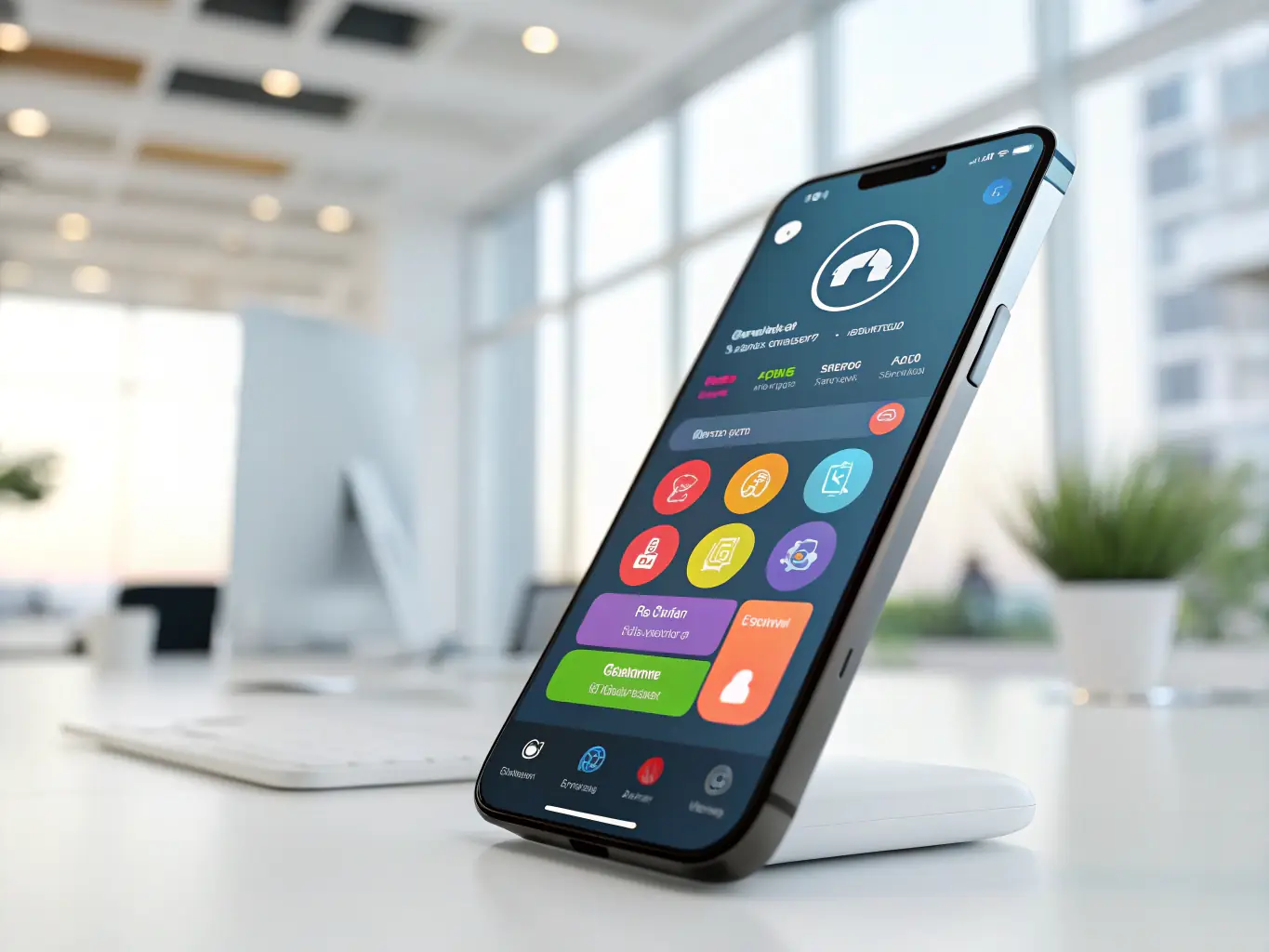
Mobile apps
Field techs, drivers, nurses and managers place and receive calls on the company number from their phone. Customers see one consistent caller ID, employees keep their personal number private, and when someone leaves the company the number leaves with the business, not with them.
Video meetings
Meetings, screen sharing and recording built into the same platform as calling. One vendor, one login, one bill — and internal calls escalate to video without asking everyone to join a separate service they may not have installed.
Call recording
On-demand or always-on recording with searchable storage and retention rules. Recording settles disputes about what was agreed, shortens new-hire ramp time, documents compliance obligations, and gives supervisors real examples instead of secondhand accounts.
Auto attendants
A professional greeting routes callers to the right department without tying up a person. Multi-level menus, time-of-day and holiday schedules, and dial-by-name directories mean after-hours callers reach voicemail or an on-call phone instead of a ring that never ends.
Call queues
Callers wait in an ordered line with announcements and position updates rather than hitting a busy signal or bouncing to voicemail. Queue statistics show real abandonment and wait times, which is usually the first time a business learns how many callers it was quietly losing.
Ring groups
Ring several phones simultaneously or in sequence so a department call is answered by whoever is free. Simple to build, and the single most effective fix for the "nobody picked up because it only rang at one desk" problem.
Voicemail to email
Messages arrive as audio files with written transcriptions in email or the mobile app. Staff triage voicemail the way they triage email — visually, in seconds — instead of dialing in and listening to seven messages to find the one that mattered.
SMS & business texting
Send and receive text messages from the main business number. Appointment reminders, delivery confirmations and quick customer replies happen on a channel customers actually respond to, and the conversation stays in company records rather than on an employee's personal device.
Presence
See at a glance who is available, on a call, in a meeting or off for the day, across every location. Presence eliminates the blind transfer into an empty office — the single fastest way to make a caller feel like they are being passed around.
Hot desking
Any employee logs into any phone and it becomes their extension with their voicemail and speed dials. Essential for shift work, shared workstations, hoteling desks and clinical environments where staff rotate through rooms all day.
Business continuity, failover and disaster recovery
Phone systems get judged on their worst day, not their average one. The question is never whether something will fail — a circuit, a power feed, a carrier, a storm — but whether your customers notice when it does.
Business continuity
Because a cloud platform answers your calls before they reach the building, an outage becomes a routing decision instead of a lost call. Rules move calls to mobile apps, personal cell numbers, another branch or a staffed answering point automatically, often within seconds and without anyone logging in.
Internet failover
A second circuit from a different provider — ideally a different physical path — plus a firewall that fails over automatically keeps desk phones registered when the primary link drops. LTE and 5G backup is a cost-effective option for smaller sites that cannot justify two wired circuits.
Disaster recovery
A written, tested plan that says exactly where calls go when a building is unusable: which numbers reroute, who has authority to trigger it, what the recorded greeting says, and how long it takes. We build and document this during deployment, not during the emergency.
Related: disaster recovery and network failover · VoIP internet failover · emergency technology support
Intermedia Unite Cloud Communications
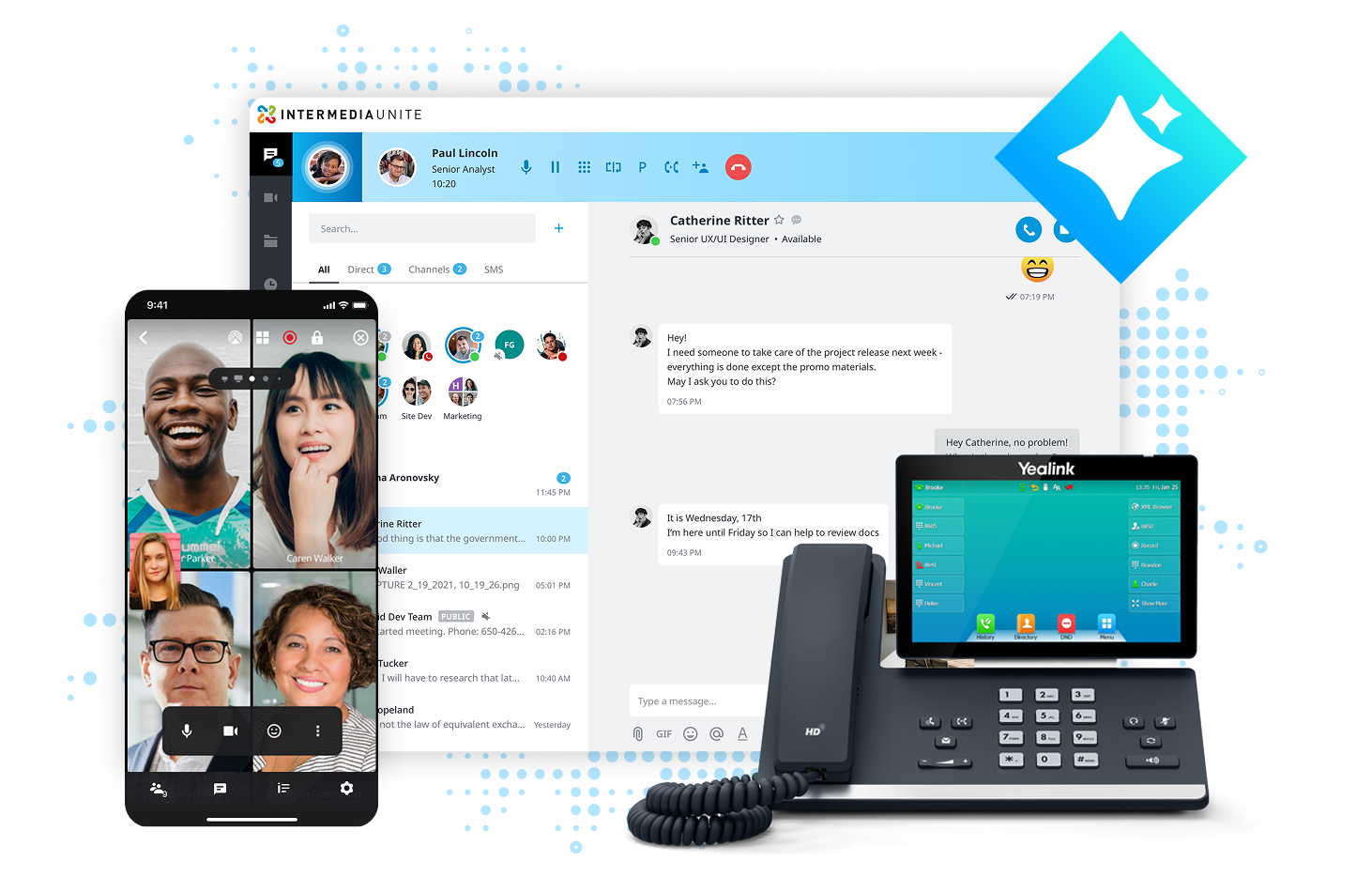
A fully hosted platform where calling, video meetings, chat, file sharing and contact center live in one system, one app and one bill. DataTel 360 is an authorized provider and deployment specialist.
Cloud architecture built for uptime
Intermedia runs Unite across geographically redundant data centers with automatic failover between them. That architecture matters more than any single feature on the list: your dial tone no longer depends on a piece of hardware in a closet, a UPS battery someone forgot to test, or the HVAC in your server room holding up in August. Maintenance windows, security patching and version upgrades happen on the provider's infrastructure, so the system does not slowly age into something nobody wants to touch.
For an Atlanta business, the practical benefit is felt during the events that used to be genuinely disruptive: a transformer failure on the block, a fiber cut during roadwork, a storm that closes the office for two days. None of those reach the phone system, because the phone system was never in the building.
Business continuity that requires no intervention
Continuity rules are configured in advance and execute on their own. If a location's phones stop registering, calls can roll to mobile apps, to a list of cell numbers, to another office, or to a queue staffed by whoever is available. The switch happens in the cloud, so no one has to reach a working computer or call the carrier during the exact moment everything is on fire.
Desktop and mobile applications
The desktop application consolidates calling, chat, presence, contacts, meetings, screen share and file sharing into one window, with click-to-dial from the browser and CRM. The mobile app carries the same extension, directory and voicemail onto iOS and Android, so a field manager answers the main line from a job site and the customer never knows. Calls hand off between devices mid-conversation — useful when someone needs to leave the building without hanging up.
Voicemail transcription and message management
Voicemail arrives as text alongside the audio, in email and in the app. Staff scan messages the way they scan email instead of dialing in, entering a PIN and listening in order. For sales and service teams the difference in response speed is measurable: urgent messages get identified in seconds rather than after a lunch break.
Video meetings and collaboration
HD video meetings with screen sharing, recording, chat and dial-in access are included rather than purchased separately. Meetings launch from the same app as calling, so there is one login, one directory and one support number when something misbehaves — and one fewer subscription on the vendor list.
Contact center capability
Unite scales up into a full contact center with skills-based routing, supervisor dashboards, real-time and historical reporting, call monitoring, whisper coaching and barge-in. Teams that start with simple call queues can grow into proper queue management without replacing the platform, which protects the original investment as inbound volume grows.
Microsoft 365 compatibility
Directory synchronization, Outlook click-to-dial, calendar-aware presence and contact integration mean the phone system works with the environment your staff already live in. For organizations standardized on Microsoft 365, this removes the duplicate directory maintenance that quietly consumes IT time.
Scalability, reliability and security
Users are added or removed in minutes from a web console — no cards, no licenses to physically install, no truck roll. Encryption in transit protects signaling and media, and administrative controls, permission levels and audit logging support internal governance requirements. Because capacity is the provider's problem rather than yours, seasonal hiring and acquisitions stop being infrastructure events.
| Advantage | What it means day to day | Who benefits most |
|---|---|---|
| No on-site PBX | Nothing in the closet to power, cool, patch or replace at end of life. | Businesses without dedicated IT staff |
| Predictable per-user cost | Operating expense that tracks headcount instead of periodic capital projects. | Growing companies, budget-driven finance teams |
| Rapid deployment | New users, new sites and new numbers provisioned in minutes from a browser. | Fast-scaling and seasonal operations |
| Geographic redundancy | Call processing survives local power, circuit and building failures. | Any business that cannot miss inbound calls |
| All-in-one app | Calling, chat, video, presence and file sharing in a single application. | Hybrid and remote-heavy teams |
| Voicemail transcription | Messages triaged visually in seconds instead of dialed into sequentially. | Sales, service and management |
| Built-in video meetings | One vendor and one bill instead of a separate meeting subscription. | Cost-conscious professional services |
| Contact center on demand | Queue management and reporting added without changing platforms. | Support desks and inbound sales |
| Microsoft 365 integration | Shared directory, click-to-dial and calendar-aware presence. | Microsoft-standardized organizations |
| Provider-managed updates | Security patching and feature releases happen without a project. | Lean IT departments |
Feature availability varies by subscription tier. DataTel 360 confirms the exact plan requirements during design so nothing is discovered after the order.
Related: cloud phone systems · business SIP trunking · mobile VoIP and remote workforce solutions
When Intermedia Unite is the right choice
- You have staff working from home, on the road, or across several offices
- You want predictable monthly cost instead of a capital purchase
- You have limited or no internal IT resources
- You are opening, closing or relocating locations regularly
- Your building's power or internet reliability has caused outages before
- You want calling, video and chat consolidated into one vendor
- Your team is standardized on Microsoft 365
- You need to be live quickly, with minimal on-site infrastructure work
Zultys VoIP Business Phone Systems
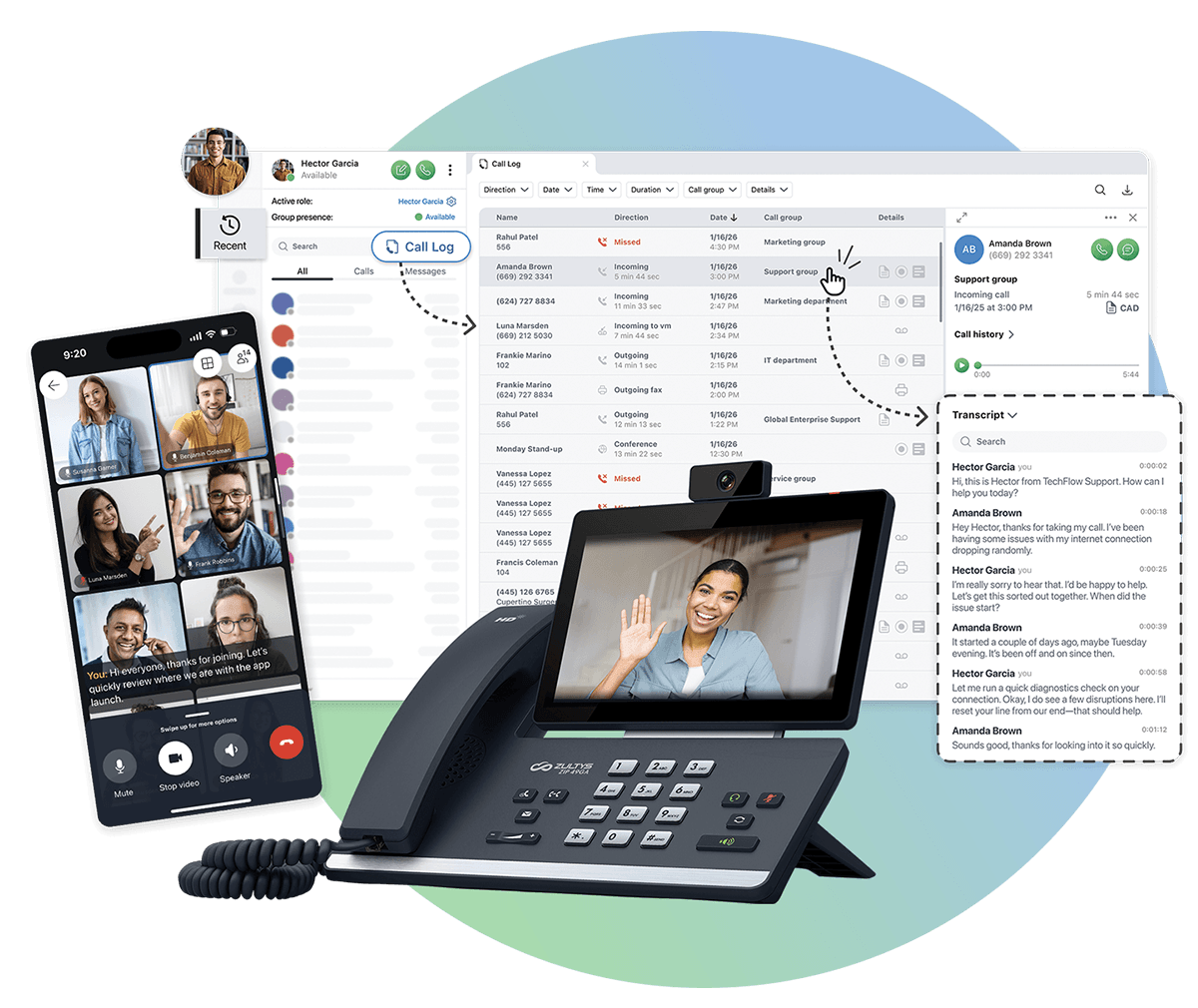
The Zultys MX platform is a single integrated system — PBX, contact center, presence, messaging and mobility — deployed on premise, as a virtual machine, or in a hybrid architecture. DataTel 360 is an authorized Zultys provider and deployment specialist.
The MX system: one platform, not a stack of licenses
Where many vendors sell a base phone system and then charge separately for contact center, presence, mobility, recording and messaging, Zultys builds them into the same MX system. That architectural decision has a practical consequence: features work together natively instead of being bolted on. An agent's presence status, queue membership, mobile availability and recording policy are all attributes of one user object, administered in one place.
For the business, this shows up as less administrative overhead and fewer failure points. There is no middleware to break during an upgrade and no second vendor to call when presence stops reflecting queue state.
On-premise, virtual and hybrid deployment
MX runs as a hardware appliance in your rack or as a virtual machine on VMware or Hyper-V infrastructure you already own and back up. Multi-site organizations can distribute systems across locations that operate as one logical system with a shared dial plan, or run a central system with remote sites and cloud extensions attached to it.
Virtualization is often the deciding factor for organizations with mature IT practice. The phone system becomes another protected VM inside existing snapshot, replication and disaster recovery procedures rather than a separate appliance with its own backup story that nobody has tested since installation.
Integrated contact center
The contact center is part of MX, not a separate product. Skills-based routing, queue prioritization, callback in queue, real-time wallboards, historical reporting, supervisor monitoring, whisper coaching and barge-in are available to any group in the organization — which means a five-person support desk can use proper queue management without buying contact center software.
The reporting is where most businesses find unexpected value. Real numbers on abandonment rate, average speed of answer and time-of-day volume usually reveal that call handling problems are staffing and scheduling problems, which are far cheaper to fix than the technology people assumed was at fault.
Real-time presence and the MXIE communicator
Zultys presence goes beyond a status dot. Users see who is available, on a call, in a meeting or unavailable, along with a note explaining why and when they will return — across every site. The MXIE desktop communicator combines call control, drag-and-drop transfer, chat, presence, call handling rules, recording control and directory search in one window.
For a receptionist or dispatcher this eliminates the most common source of customer frustration: transfers into empty offices. If a caller can be told "she is with a patient until two, may I take a message or reach someone else," the interaction ends well even though the intended person was unavailable.
Mobile communicator
The mobile application extends the full extension — presence, directory, transfer, queue login and voicemail — to iOS and Android. Field staff and managers participate in call queues and coverage groups from anywhere, appearing to the system exactly as they would from a desk phone.
CRM integration
MX integrates with major CRM platforms for screen pop on inbound calls, click-to-dial and automatic call logging. Screen pop alone changes the shape of a customer conversation: the caller's history is on screen before the first hello, which removes the ninety seconds normally spent confirming who they are and what happened last time.
Call recording with local retention
Recording is built in, with on-demand and automatic modes, searchable playback and configurable retention. Because the system is yours, recordings can remain entirely on your own storage — which is frequently the deciding factor for healthcare, financial services and legal organizations with defined retention and custody requirements.
Scalability and reliability
MX scales from a few dozen users to several thousand across multiple sites without changing platforms. Systems support redundant configurations, and because call processing is local, internal calling, paging and intercom continue working during an internet outage — a genuine safety consideration in a plant, warehouse or clinical setting where internal communication cannot depend on an external circuit.
| Advantage | What it means day to day | Who benefits most |
|---|---|---|
| All-inclusive feature set | Contact center, presence, mobility and recording included rather than tiered. | Businesses tired of per-feature upcharges |
| Local call processing | Internal calling, paging and intercom survive an internet outage. | Plants, warehouses, clinics, schools |
| Virtual deployment | Runs on your existing hypervisor inside your existing DR procedures. | Organizations with mature IT teams |
| Integrated contact center | Real queue management and reporting for any department, not just a call center. | Support desks, dispatch, intake teams |
| Deep CRM integration | Screen pop, click-to-dial and automatic logging tied to your database. | Sales-driven and service-driven companies |
| On-premise recording | Recordings stay on storage you own, under your retention policy. | Healthcare, financial, legal |
| Lower cost at scale | One-time license plus maintenance beats perpetual per-user subscription over time. | Organizations above roughly 75–100 users |
| Granular call-flow control | Complex routing, coverage and schedule logic without platform limits. | Multi-department and multi-site operations |
| Multi-site as one system | Shared dial plan, directory and queues across every location. | Companies with several buildings |
| Hybrid flexibility | Keep analog, paging and legacy devices while modernizing everything else. | Older facilities and industrial sites |
AI receptionist and intelligent call routing
Zultys also underpins our AI-powered VoIP offering: an AI receptionist that answers, qualifies and routes callers around the clock, working alongside an existing phone system rather than replacing it. For practices and service businesses losing calls after hours or during lunch, this recovers revenue that was previously going to voicemail — and every interaction still lands in the same queues, recordings and reporting as a human-answered call.
Why growing businesses often prefer Zultys
There is a point in a company's growth where the cloud's greatest strength — someone else runs it — turns into its main limitation. Call flows get too specific for the templates. The CRM integration needs to reach the database, not just the API. A compliance officer asks where the recordings physically live. Three hundred subscriptions start looking expensive next to a one-time license. And someone finally asks what happens to the warehouse intercom when the fiber gets cut.
Zultys answers those questions well, which is why it tends to win with companies that have grown past generic service and want a system they can shape. That is not an argument against cloud — it is an argument for matching architecture to requirement. DataTel 360 deploys both, so we have no reason to tell you otherwise.
When Zultys is the right choice
- You need a real contact center with routing, reporting and supervision
- Recordings must be retained locally or under your own custody
- You have 75–100+ users and subscription cost is compounding
- Internal calling and paging must survive an internet outage
- Your CRM integration needs to go deeper than click-to-dial
- Call flows are complex, department-specific or schedule-driven
- You have IT staff who prefer to own and control the platform
- Analog paging, elevator lines or legacy devices must remain in service
Related: Zultys business phone systems · Atlanta business phone system repair · disaster recovery and network failover
Intermedia vs Zultys: Which VoIP Phone System Is Right for You?
Both are excellent systems. They are excellent for different companies. This table reflects how we actually make the recommendation during a consultation.
| Requirement | Intermedia Unite | Zultys MX |
|---|---|---|
| Cloud | Native. Fully hosted in redundant data centers; nothing in your building but phones. | Available as a cloud or hosted MX deployment, but the platform's strengths are architectural control. |
| On premise | Not applicable. A local gateway can be added for analog devices only. | Native. Appliance or virtual machine on your own infrastructure. |
| Hybrid | Cloud extensions plus a local gateway for paging, fax and legacy analog. | Full hybrid. On-premise core with cloud and remote extensions on one dial plan. |
| Remote workers | Strongest fit. Built cloud-first; remote users are the default, not an add-on. | Fully supported through mobile and desktop communicators registering to the MX. |
| Call center | Contact center tier with skills routing, dashboards and supervisor tools. | Included in the platform. Full ACD, reporting and supervision without a separate product. |
| Multiple offices | Excellent. Every site is simply a set of users on one cloud tenant. | Excellent. Distributed MX systems operate as one logical system. |
| CRM integration | Click-to-dial, screen pop and logging with mainstream CRM platforms. | Deeper. Database-level integration and custom workflows are achievable. |
| Video meetings | Built in. HD meetings, screen share and recording included in the app. | Supported, commonly paired with Microsoft Teams or an existing meeting platform. |
| Scalability | Instant. Add or remove users in minutes; capacity is the provider's responsibility. | Scales to thousands of users across sites; growth is planned rather than instant. |
| Cost model | Operating expense. Predictable monthly per user, minimal upfront. | Capital expense plus maintenance. Higher upfront, lower long-run cost at scale. |
| Survives internet loss | Inbound calls reroute automatically in the cloud; desk phones need connectivity. | Internal calling continues. Local processing keeps paging and intercom alive. |
| IT burden | Minimal. Provider handles patching, upgrades and capacity. | Requires an owner — internal IT or a managed support agreement with us. |
| Best for | Distributed, hybrid and growing organizations that want the system handled for them. | Established operations that want control, integration and long-term cost advantage. |
| Recommended customer | 5–150 users; professional services, retail, multi-branch offices, remote-heavy teams, companies without dedicated IT. | 50–1,000+ users; manufacturing, healthcare, distribution, contact centers, compliance-driven organizations with IT staff. |
User-count ranges are guidance, not rules. We have deployed Unite at 400 users and MX at 40 because the requirement pointed there. The consultation exists to find that requirement.
Microsoft Teams Phone Integration for Atlanta Businesses
Most Atlanta businesses already use Teams for chat and meetings. Whether it should also carry your phone calls depends on how much of your calling work actually happens inside Teams today.
Teams Phone
Teams Phone adds enterprise calling to the Teams client: dial pad, PSTN calling, voicemail, call transfer, delegation, auto attendants and call queues, all inside the application people already have open. For an organization whose staff live in Teams all day, the appeal is obvious — one application, one directory, one presence state, one set of credentials.
Teams Phone requires appropriate Microsoft licensing plus a route to the public telephone network. That second part is where the design decisions are, and where most Teams voice projects either work well or quietly disappoint.
Direct Routing
Direct Routing connects Teams to the phone network through a Session Border Controller and SIP trunks that you or your partner control. It is the most flexible option: you choose the carrier, negotiate the rates, keep existing trunks, and route specific numbers or sites however you like. It also supports coexistence with an existing PBX, which is what makes phased migrations possible.
The trade-off is that Direct Routing is a real engineering deployment — SBC configuration, certificates, voice routing policies, dial plans, emergency location records. It is not a checkbox, and it is the reason many organizations attempt Teams calling, get poor results, and blame Teams.
Operator Connect
Operator Connect lets a participating carrier provision PSTN service into your Teams tenant directly from the Teams admin center. No SBC to own, no certificates to renew, and the carrier peers with Microsoft over dedicated connections rather than the open internet. Setup is dramatically simpler and support is clearer, since the operator owns the connection end to end.
You give up some flexibility in exchange: fewer carrier choices, less granular routing control, and a harder path for unusual requirements like site-specific breakout or complex legacy coexistence. For a straightforward organization that wants Teams calling to simply work, that trade is usually worth making.
SIP integration with an existing phone system
Teams does not have to be all or nothing. A SIP trunk between Teams and an existing Intermedia or Zultys deployment lets extensions dial each other across both platforms, so one department can move to Teams while the contact center, warehouse and front desk stay where they work well. This is how most successful Teams voice migrations in mid-sized companies actually happen.
Paging, overhead and legacy devices
Teams has no native answer for overhead paging, warehouse horns, ceiling speakers, elevator emergency lines, fire panel dialers, gate intercoms or analog fax. These devices are unglamorous and completely non-negotiable — several are code requirements. We keep them in service through paging adapters, analog gateways and SIP integration so the modernization does not accidentally disconnect something an inspector is going to ask about.
Hybrid deployments and contact center
Hybrid means Teams and a PBX operating together on purpose: Teams for internal collaboration and knowledge workers, a dedicated platform for the roles that need queueing, recording, wallboards and supervisor tools. Teams' native queue features are serviceable for basic distribution but thin for genuine contact center work — skills-based routing, callback in queue, real-time supervision and detailed historical reporting are where Intermedia's contact center tier and Zultys' integrated ACD remain clearly stronger.
When Teams is the right choice — and when it is not
| Situation | Recommended direction |
|---|---|
| Staff already work inside Teams all day | Teams Phone. Consolidating to one application removes real friction and duplicate directories. |
| Mostly knowledge workers, simple call flows | Teams Phone via Operator Connect. Fastest path, least ongoing maintenance. |
| Existing carrier contracts or specific routing needs | Teams Phone via Direct Routing, with SBC and trunks managed by DataTel 360. |
| Real contact center: queues, recording, supervision, reporting | Dedicated platform. Intermedia contact center or Zultys ACD, optionally alongside Teams. |
| Warehouse, plant or facility with paging and analog devices | Dedicated platform, or Teams with a gateway. Do not strand the overhead system. |
| Front desk and reception with heavy transfer volume | Dedicated platform. Receptionist call handling is faster and less error-prone on a purpose-built console. |
| Compliance-driven local call recording retention | Zultys on premise. Local custody of recordings is difficult to replicate in Teams. |
| Some departments ready, others not | Hybrid. Connect Teams and the PBX over SIP and migrate in waves. |
VoIP Migration, Installation and Training
A cutover that goes badly almost never fails at the phone. It fails at something nobody checked three weeks earlier. This is what we check.
Planning & discovery
We document every extension, department, coverage path, after-hours rule and analog device in the current system, then confirm what should carry forward and what has quietly stopped making sense. Most businesses discover routing rules built for an org chart from six years ago.
Site surveys
An engineer walks the building: telecom room, cable pathways, demarc, existing terminations, device locations, paging horns, elevator and fire lines. Photographs and a written report follow, which means the quote reflects the actual building rather than an assumption about it.
Internet evaluation
We test the circuit under load for latency, jitter and packet loss and calculate required concurrent call paths from your real call detail records. If the circuit cannot carry the deployment, you learn that during design, not on cutover morning.
Switch evaluation
We inventory switches for VLAN support, QoS capability, PoE budget, uplink capacity and firmware currency. Unmanaged switches are the single most common cause of choppy audio in an otherwise healthy office network.
Power over Ethernet
Total PoE draw is calculated across every phone, access point and camera on each switch, including the ones planned for next year. Under-budgeted PoE causes phones to reboot intermittently — a fault that is maddening to diagnose after the fact and trivial to prevent.
Quality of Service
Voice VLANs, DSCP marking and traffic prioritization are configured on switches and firewall so voice is never queued behind a backup job or a large upload. QoS is the difference between a network that works and a network that works during business hours.
UPS & battery backup
Switches, firewall, router and any on-premise system get sized battery backup so a brief utility blip does not drop every call in the building. We size runtime to your actual load rather than shipping a generic unit.
Network readiness testing
Before cutover we run extended packet capture and call-quality testing across the production network at peak hours. The report either clears the network or names precisely what must be fixed — no ambiguity, no post-cutover argument.
Number porting
We pull the Customer Service Record, correct the address and billing-name mismatches that cause most port rejections, submit the request and manage the Firm Order Commitment date. The new system is built and tested before numbers move.
User training
On-site training by role — reception, sales, management, general staff — plus quick reference guides. Ten minutes on transfer, park, queue login and voicemail prevents the vast majority of week-one support calls.
Testing & validation
Every extension, queue, auto attendant path, after-hours rule, page zone, fax line and 911 location is tested against a written checklist before go-live. We test the paths people forget until the first Saturday.
Go-live & post-installation support
Engineers are on site the morning phones go live, tuning call flow as real calls arrive. Follow-up review at one week and thirty days catches the routing preferences nobody thinks of until they have used the system.
After-hours cutovers are the default, not an upgrade
Nearly every cutover we run happens overnight or over a weekend so phones are live before staff arrive. Healthcare, warehouse and 24-hour operations are scheduled around their production window, not ours.
Local Atlanta VoIP Support and Business Phone System Repair
A large share of our support work involves systems installed by vendors who have since been acquired, retired or gone quiet. If your phones work but nobody answers when they do not, we can take it over.
Moves
Relocating extensions between offices, floors or buildings, including cabling, jack activation and switch port configuration. Departmental reorganizations get handled as one coordinated change instead of a dozen tickets.
Adds
New users, new phones, new extensions, new queue members and new locations provisioned and tested. Growth should be routine, not a project with a lead time.
Changes
Call flow adjustments, holiday schedules, greetings, coverage paths, department restructuring and permission updates. Seasonal businesses use this constantly, and it should take a phone call, not a change order.
Programming
Auto attendants, queues, ring groups, time conditions, call recording rules, voicemail behavior and hunt logic. We document every change so the next engineer — ours or yours — can read what was done and why.
Carrier troubleshooting
When the problem is upstream, we open and drive the carrier ticket with the trace data that gets it escalated instead of closed. Businesses lose days to carrier queues without someone who knows how to escalate.
VoIP troubleshooting
One-way audio, dropped calls, choppy speech, phones rebooting, registration failures. We packet-capture rather than guess, which usually finds a QoS gap, a PoE shortfall, a firewall SIP ALG or a saturated uplink.
SIP troubleshooting
Registration failures, codec mismatches, NAT traversal, DID routing errors, caller ID and CNAM problems, SIP ALG interference. These faults look identical to the end user and have entirely different fixes.
Legacy PBX support
Older digital and hybrid key systems still running in Atlanta buildings. We keep them alive with refurbished parts and programming support while you plan a migration on your schedule and budget, not under emergency pressure.
Emergency service
Total outages, storm and power damage, failed circuits, post-construction cable damage and carrier events. Call 770-441-9999 and describe the outage; support agreements define response commitments and after-hours coverage.
Migration planning
A written path off a legacy system: what carries forward, what gets replaced, what it costs, what the sequence is and what each phase risks. Planned migrations cost far less than the emergency replacement that follows a hardware failure.
System takeover & audit
We document an inherited configuration, recover or establish administrative access, verify licensing and carrier status, and hand you a written record of a system that probably has not been documented since installation.
Ongoing managed support
Agreements covering monitoring, moves/adds/changes, carrier liaison and defined response times. For companies without internal telecom staff, this is the difference between a system that stays healthy and one that drifts.
Related: Modern & legacy telecom support · Emergency technology support
Network Infrastructure for Reliable VoIP Call Quality
Email tolerates delay. File transfers tolerate retransmission. A phone call tolerates neither, because there is a human on the other end deciding in real time whether your company sounds competent.
When a business tells us its VoIP system "never worked right," the cause is almost always in this section rather than in the phone system. A network that carries email, browsing and file access without complaint can still be entirely unsuitable for voice, because voice exposes problems that other traffic silently absorbs. This is why DataTel 360 does not quote a phone system without evaluating what it will run on — and why we do the cabling, switching and Wi-Fi ourselves.
Cat6 cabling
The current standard for new commercial voice and data runs, supporting gigabit and PoE for phones, access points and cameras. Properly installed and certified Cat6 is the baseline for any deployment expected to last a decade.
Cat6A cabling
Shielded, higher-bandwidth cable for 10-gigabit runs, long distances, high-power PoE and electrically noisy environments — manufacturing floors, mechanical rooms and anywhere cable shares a pathway with power.
Fiber optics
Building-to-building and floor-to-floor backbone runs, immune to electrical interference and unlimited by copper's distance rules. Campuses, warehouses and multi-building sites depend on fiber to keep voice traffic clean between closets.
Enterprise switches
Managed switching with VLAN segmentation, QoS, adequate PoE budget and sufficient uplink capacity. Consumer switches cannot separate or prioritize voice traffic, which is why they fail so consistently in phone deployments.
Power over Ethernet
One cable delivers data and power to each phone — no adapters, no outlet congestion, and centralized power that a single UPS can protect. PoE budget must be calculated for current and planned devices, not just today's phone count.
Quality of Service
Voice traffic tagged and prioritized end to end so it never queues behind backups, updates or large transfers. QoS is not optional on a shared network; it is the mechanism that makes sharing possible at all.
Battery backup
UPS protection sized for switches, firewall, router and any on-premise system, so brief utility events do not drop every call in the building. Runtime is calculated from measured load, not guessed from a product box.
Internet redundancy
A second circuit from a different provider on a different physical path, with automatic firewall failover. For smaller sites, LTE or 5G backup provides meaningful protection at a fraction of the cost of a second wired circuit.
Bandwidth planning
Roughly 100 Kbps per concurrent call with G.711, sized against real call detail records rather than headcount. Voice consumes far less bandwidth than most people expect — it is consistency, not capacity, that determines quality.
Latency
One-way delay should stay under 150 ms. Beyond that, speakers begin talking over each other and the conversation acquires the awkward rhythm everyone recognizes from a bad conference call.
Packet loss
Above about 1 percent, audio starts dropping syllables and words. Loss usually points to a saturated uplink, a failing cable run or a duplex mismatch — all findable with proper testing, none findable by guessing.
Jitter
Variation in packet arrival timing should stay under 30 ms. Jitter buffers absorb small amounts; beyond that, audio becomes robotic. Jitter is the most common cause of "the call sounded weird" complaints.
Managed switching
Visibility into port utilization, errors, PoE draw and VLAN behavior. Without management, diagnosing an intermittent voice fault means replacing parts and hoping — an expensive way to find a bad patch cable.
Business Wi-Fi
Wireless handsets and softphones on mobile devices need proper coverage design, adequate access point density and fast roaming between APs. Consumer wireless drops calls at every handoff, which is exactly where users notice.
Certification & documentation
Every run tested, certified and labeled, with as-built documentation and port maps delivered at closeout. Future troubleshooting takes minutes instead of hours when someone can actually read the closet.
Related infrastructure services: Structured cabling Atlanta · Fiber optic installation · Network cabling · MDF & IDF buildouts · Wi-Fi & internet failover · Technology site surveys
Industries We Serve
Twenty-eight years in Atlanta means we have learned what each type of operation actually needs — and what generic deployments get wrong in each one.
Healthcare
After-hours and on-call routing, HIPAA-conscious recording and retention, nurse call integration and appointment reminder texting.
Medical practices
Front-desk call volume, intake queues, hot desking across exam rooms and answering-service handoff that does not lose patients.
Manufacturing
Overhead paging across plant noise, ruggedized handsets, Cat6A in electrically hostile spaces and internal calling that survives outages.
Warehouses
Wi-Fi coverage across high-bay racking, wireless handsets with fast roaming, dock-area paging and fiber backbone between buildings.
Distribution
Dispatch queues, driver mobile apps on the company number, and routing that follows shift schedules rather than office hours.
Corporate offices
Multi-floor deployments, executive delegation and call screening, conference room systems and clean Microsoft 365 integration.
Law firms
Attorney and paralegal call handling, client confidentiality, matter-based call logging and after-hours coverage that never drops a client.
Construction
Job-site trailers, temporary connectivity, mobile-first users and office systems that scale up and down with the project pipeline.
Retail
Multi-store dial plans, one main number covering every location, store-to-store transfer and holiday hour changes made once centrally.
Education
Classroom phones, campus paging and bell integration, emergency notification and E911 location accuracy down to the room.
Property management
Leasing office queues, maintenance dispatch, gate and callbox integration, and one system covering a portfolio of properties.
Municipal
Public-facing call queues, records retention, department routing across facilities and E911 compliance for every building.
Financial services
Call recording with defined retention, secure client communication, disclosure requirements and reporting for compliance review.
Hospitality
Front desk and guest services, room and back-of-house paging, event coordination and seasonal staffing that changes constantly.
Professional services
Accounting, engineering, agencies and consultancies: client-facing call quality, remote staff parity and clean CRM integration.
Atlanta headquarters. Worldwide deployment.
We are an Atlanta company and we are not shy about it — but we install VoIP and business phone systems wherever our clients operate. If your head office is in Sandy Springs and you have plants in Ohio, a sales office in London and a support team in Manila, all four run on one system, one dial plan and one standard, managed from here.
This works because modern voice platforms decouple engineering from geography. Design, configuration, call flow programming, number provisioning and testing are done centrally by our own engineers — the same people who would be standing in your Atlanta building. For hands-on work at a remote site we deploy our own crews or dispatch vetted, certified field technicians through our multi-location rollout practice and TechDispatch360, our field services division — always under our project management, our scope and our closeout documentation. You get one point of contact, one set of standards and one invoice, instead of coordinating six local vendors who have never spoken to each other.
Our Atlanta VoIP Project Process, Step by Step
The sequence matters. Skipping discovery to get to a price faster is how a project ends up with a change order in week three.
-
01
Discovery
A conversation about how your business actually communicates: call volume, user roles, departments, growth plans, pain points and budget. We document the current system before proposing anything.
-
02
Design
An on-site survey of cabling, closets, switching, circuits and device locations, plus a network readiness test. The architecture recommendation follows the findings, not a product preference.
-
03
Proposal
A written scope with itemized equipment, licensing, labor, cabling and recurring cost, and a clear comparison where more than one platform genuinely fits. No line item labeled "miscellaneous."
-
04
Installation
Cabling and network work first, then system build, phone provisioning, call flow programming and number porting. The system is fully tested before a single number moves.
-
05
Training
Role-based on-site training and quick reference guides for reception, sales, management and general staff, delivered before go-live rather than shouted across the office during it.
-
06
Ongoing support
Engineers on site at go-live, review at one week and thirty days, then moves, adds, changes, carrier liaison and emergency response for the life of the system.
Frequently Asked Questions About VoIP Phone Systems
The questions Atlanta businesses actually ask us during a consultation — with the answers we actually give.
What is the best VoIP phone system for an Atlanta business?
There is no single best system, only the best fit. The honest decision framework is this: if your staff are distributed, you have limited internal IT, and you want predictable monthly cost with nothing to maintain in the closet, a cloud platform such as Intermedia Unite is usually the right answer. If you run a real contact center, need recordings retained under your own custody, have complex department call flows, or have grown past roughly 75 to 100 users, an on-premise or hybrid system such as Zultys MX typically costs less over five to seven years and gives you far more control. DataTel 360 deploys both, so our recommendation follows your call volume, building and compliance requirements rather than a product line.
How much does a business VoIP phone system cost in Atlanta?
Cloud VoIP is typically billed per user per month, with most Atlanta businesses landing in the $20 to $40 per user range depending on features, contact center requirements and contract length. Desk phones are a one-time cost, commonly $90 to $300 each. On-premise systems such as Zultys MX carry a larger upfront license and hardware investment but a lower recurring cost, which often makes them less expensive over a five to seven year horizon for larger user counts. Installation, cabling remediation and network upgrades are quoted separately after a site survey, because quoting them blind is how projects end up with change orders.
Can we keep our existing business phone numbers?
Yes. Local, toll-free and vanity numbers are portable between carriers through a process called number porting. DataTel 360 handles the paperwork, validates your Customer Service Record against the losing carrier, schedules the port date and keeps the old service active until the port completes so there is no gap in service. Most port rejections come from a mismatch between the address or billing name on the request and what the old carrier has on file, and we catch those before submission.
How long does a VoIP phone-system migration take?
A single-site cloud VoIP migration of 10 to 50 users typically runs two to four weeks from signed order to go-live, most of which is number porting lead time rather than technical work. Larger on-premise or multi-site projects with contact center configuration, CRM integration and cabling work generally take four to ten weeks. Physical installation and cutover for a typical office is completed in one day, usually overnight or over a weekend so phones are live before staff arrive.
Does DataTel 360 install Intermedia Unite?
Yes. DataTel 360 is an authorized Intermedia provider and deployment specialist. We handle the full lifecycle rather than just the signup: discovery and call-flow documentation, network readiness testing, licensing and tier selection, device provisioning, auto attendant and call queue programming, number porting, Microsoft 365 directory integration, on-site user training and go-live support. We also provide ongoing moves, adds and changes afterward, so you have a local engineer to call rather than a national support queue.
Does DataTel 360 support Zultys phone systems?
Yes. DataTel 360 is an authorized Zultys provider and deployment specialist for the MX platform, whether deployed as an on-premise appliance, a virtual machine on your own hypervisor, or in a hybrid architecture alongside cloud extensions. We handle system design, contact center and ACD configuration, MXIE communicator rollout, CRM integration, call recording and retention setup, and ongoing programming. We also support existing Zultys systems installed by other vendors, including ones whose original installer is no longer in business.
Can VoIP support remote and hybrid employees?
Yes, and it is one of the strongest reasons to move. A VoIP desk phone plugged into any broadband connection registers back to the same system as the office phones, and softphone and mobile apps give staff the same extension, caller ID, voicemail, transfer and directory access on a laptop or smartphone. Remote users appear as normal extensions to everyone else, so callers and coworkers cannot tell the difference. Nobody has to publish a personal cell number, and calls to a home-based employee still ring through the company's queues and coverage rules.
Can DataTel 360 evaluate our network before installing VoIP?
Yes, and we insist on it. Most VoIP problems are not VoIP problems, they are cabling, switching, bandwidth or firewall problems that only became visible when voice traffic started running across them. Before we quote, an engineer performs an on-site survey of the telecom room, cable pathways, terminations and device locations, certifies existing cabling, inventories switches for VLAN, QoS, PoE budget and uplink capacity, and tests the internet circuit under load for latency, jitter and packet loss. You receive a written report that either clears the network or names precisely what must be fixed first.
What happens to our phones if the internet goes down?
With a cloud platform your calls never reach the building until the system routes them, so an outage is a routing decision rather than a lost call. Failover rules automatically send calls to mobile apps, cell numbers, another location or a voicemail box, and the system can be configured to switch over in seconds. Adding a secondary circuit or VoIP internet failover at the firewall keeps desk phones registered as well, and disaster recovery and network failover planning documents exactly where calls go before you need it. With an on-premise system, internal calling, paging and intercom continue working normally because call processing is local.
Do you provide ongoing Atlanta-based phone-system support?
Yes. DataTel 360 is an Atlanta company with local engineers and local trucks, not a national dispatcher. Ongoing support covers moves, adds and changes, call flow and schedule programming, new user provisioning, carrier troubleshooting and escalation, VoIP and SIP diagnostics, and emergency response for outages. Support agreements define response times and after-hours coverage in writing. We also take over Atlanta business phone system repair for systems installed by other vendors, starting with an audit that documents the configuration and establishes administrative access.
What is VoIP?
VoIP (Voice over Internet Protocol) converts your phone calls into digital data and carries them over an internet or private network connection instead of traditional copper phone lines. For a business, that means the phone system becomes software rather than a box in a closet, so features like auto attendants, call queues, voicemail-to-email, mobile apps and multi-site dialing can be added without new wiring or new carrier circuits.
Should I choose Intermedia or Zultys?
Choose Intermedia Unite when you want a fully cloud-hosted system with predictable per-user pricing, fast deployment, strong mobile and remote work support, and no on-site hardware to maintain. Choose Zultys when you want deep control, an integrated contact center, tight CRM integration, on-premise or hybrid architecture, or when compliance and call-recording retention requirements make local control preferable. DataTel 360 deploys and supports both, so the recommendation follows the requirement rather than the product line. The comparison table above reflects how we actually make that call.
Can multiple offices share one phone system?
Yes, and it is one of the strongest reasons to move to VoIP. Multiple locations share a single dial plan, directory, auto attendant and set of call queues. Staff dial extension to extension between sites at no cost, calls overflow from a busy location to another branch, and administration happens once instead of separately at every building. A retailer with eight stores can publish one number, route by area code or menu selection, and change holiday hours across the whole company in a single edit.
What internet speed is recommended for VoIP?
Plan on roughly 100 Kbps of upload and download per simultaneous call using the G.711 codec, which works out to about 10 Mbps for 100 concurrent calls. Raw speed is rarely the limiting factor. Consistency matters far more: keep latency under 150 ms, jitter under 30 ms and packet loss under 1 percent. A stable 100 Mbps circuit with QoS configured will outperform a congested gigabit connection every time, which is why we test circuits under load rather than reading the speed on the bill.
Does VoIP require fiber internet?
No. VoIP runs well over cable, fixed wireless, DSL and fiber. Fiber is preferred for larger deployments because it provides symmetrical upload bandwidth, lower jitter and stronger service level agreements, all of which matter when dozens of calls run concurrently. For a ten-person office, a quality business cable connection with a proper firewall and QoS is usually sufficient. Where fiber genuinely earns its cost is at higher call volume, or where a service level agreement with a defined repair window is a business requirement.
Can existing Ethernet cabling be reused for a VoIP phone system?
Often yes. Cat5e or better cabling that is properly terminated and tested will carry both voice and Power over Ethernet. During the site survey DataTel 360 certifies existing runs, identifies any damaged, untested or non-compliant cabling, and quotes replacement only for what actually fails. Older Cat3 voice cabling and 66-block terminations generally need to be replaced, as do runs that were never certified, run over ceiling tiles, or share a pathway with unshielded power. See structured cabling Atlanta for how we certify and document runs.
Can Microsoft Teams integrate with my phone system?
Yes. Teams can become your phone system through Teams Phone with either Direct Routing or Operator Connect, or it can coexist with a dedicated PBX so that Teams handles chat and meetings while the PBX handles calling, paging, overhead and analog devices. Both Intermedia and Zultys offer Teams integration paths, and the right choice depends on how much of your calling workflow lives inside Teams today. Businesses with real contact center requirements usually keep queueing on a dedicated platform and let Teams handle everything else.
What happens during number porting?
You sign a Letter of Authorization, we pull your Customer Service Record from the current carrier, correct any address or billing-name mismatches, and submit the port request. The losing carrier returns a Firm Order Commitment date, usually seven to fifteen business days out for standard local numbers. On port day the numbers cut over in a short window, we test inbound and outbound calling, then the old service is disconnected. Your new system is fully built and tested before the port date, so porting is a switch being flipped rather than a project beginning.
Do you install phone systems after business hours?
Yes. Most cutovers are scheduled evenings, overnight or over a weekend so that phones are live before staff arrive. Healthcare, warehouse, manufacturing and 24-hour operations are scheduled around their own production windows rather than ours. After-hours work is planned into the proposal, not added later as a surprise line item.
Can DataTel 360 support an existing phone system installed by someone else?
Yes. We regularly take over support for systems installed by other vendors, including platforms whose original installer is no longer in business. We audit the current configuration, document the dial plan, gain administrative access, verify carrier and licensing status, and then provide ongoing moves, adds, changes and troubleshooting. In many cases the audit is the first written documentation the system has ever had.
Do you offer emergency phone system support?
Yes. Emergency telecom support is available for total outages, failed circuits, carrier events, storm and power damage and post-construction failures. Visit emergency support or call 770-441-9999 and describe the outage. For businesses on a support agreement, response times and after-hours coverage are defined in the agreement rather than left to whoever is available.
Does VoIP support 911 calling?
Yes. Business VoIP systems support Enhanced 911 with a registered dispatchable location for each phone, which is required under Kari's Law and the RAY BAUM'S Act. Kari's Law also requires direct 911 dialing without a prefix and a notification to a designated person on site when 911 is dialed. DataTel 360 configures location records, direct dialing and notification as part of every installation, and updates location records whenever phones move between floors or buildings.
Can I record calls for compliance or training?
Yes. Both Intermedia and Zultys support on-demand and always-on call recording with searchable storage and retention policies. Zultys is often preferred where recordings must remain on premises or be retained locally for regulatory reasons. Georgia is a one-party consent state, but policy, notification and retention should still be reviewed with your own counsel, particularly if you take calls from states with two-party consent requirements.
How many phone lines do I need?
VoIP replaces the idea of lines with concurrent call paths. Most general offices need about one call path for every three to four users. Call centers, medical offices, dispatch operations and inbound sales teams need close to one path per agent. We size call paths from your actual call detail records rather than from a guess, so you are not paying every month for capacity you never use, or discovering at 9:00 a.m. that you bought too little.
Can I keep my existing desk phones when switching to VoIP?
Sometimes. SIP phones from major manufacturers can often be reprovisioned onto a new platform if they are not locked to a previous provider and still receive firmware updates. Proprietary digital handsets from legacy key systems cannot be reused. During the survey we inventory model numbers and tell you honestly which phones carry forward and which should be replaced, including cases where a very old SIP phone technically works but is not worth keeping.
Do I need new network switches for VoIP?
You need managed switches with adequate Power over Ethernet budget and VLAN and QoS support. Unmanaged consumer switches cannot prioritize voice traffic or separate it from data, which is the most common cause of choppy audio in an otherwise healthy network. We calculate total PoE draw, verify uplink capacity and recommend replacements only where the existing switching genuinely cannot support the deployment.
Is VoIP secure?
Modern business VoIP encrypts signaling with TLS and media with SRTP, and both Intermedia and Zultys support encrypted transport. The larger risks are weak extension passwords, exposed SIP ports and unrestricted international dialing, all of which enable toll fraud, the scenario where a compromised extension runs up thousands of dollars of overseas calls in one weekend. We close those exposures with strong provisioning credentials, firewall rules, geographic and international dialing restrictions and usage alerting.
What areas does DataTel 360 serve?
DataTel 360 is headquartered in Atlanta and installs VoIP and business phone systems worldwide. Locally we cover the entire metro Atlanta market including Alpharetta, Marietta, Sandy Springs, Roswell, Norcross, Duluth, Lawrenceville, Kennesaw, Decatur, Johns Creek and Brookhaven. Beyond Georgia we deploy across the United States and internationally through our multi-location rollout practice, using our own engineers for design, configuration and project management and a vetted network of certified field technicians for hands-on work at remote sites. Cloud platforms make this practical: the system is built and tested centrally, so a site in Frankfurt or Singapore is provisioned the same way as one in Marietta — same dial plan, same standard, one point of contact.
How do I get a quote for a business phone system?
Call 770-441-9999 or request a quote online. Every project starts with a consultation covering your current system, user counts, call volume, internet and cabling condition, growth plans and budget. For most sites we follow up with an on-site technology survey, then present a written proposal comparing the platforms that actually fit your requirements — with itemized pricing rather than a single number.
Request an Atlanta VoIP Consultation
Every project begins with a consultation. Before we recommend anything, we want to understand what your business is trying to accomplish, what infrastructure you already have, where you expect to be in three years, and what budget the project has to live inside.
That order matters. A recommendation made before those four questions are answered is a product pitch, not engineering — and it is why so many businesses end up with a system that technically works and practically does not fit. We would rather spend an hour on discovery and quote the right thing than win a fast sale and spend the next year explaining it.
If your current system is failing, if you are opening or relocating a location, if remote staff are working around the phone system instead of with it, or if you simply have not looked at this in a decade — a conversation costs nothing and usually clarifies a great deal.
Request a Quote
Tell us about your locations, user count and current system. We follow up to schedule a consultation and, where useful, an on-site survey.
Request a QuoteCall 770-441-9999
Talk to someone who can actually answer technical questions about your building, your circuits and your options — not a script.
Call NowEmergency Support
Total outage, failed circuit, storm or power damage, or post-construction cable failure. Call and describe what happened.
Get Emergency HelpDataTel 360 · Commercial communications infrastructure for Atlanta business since 1998 · Serving Atlanta, Alpharetta, Marietta, Sandy Springs, Roswell, Norcross, Duluth, Lawrenceville, Kennesaw, Decatur, Johns Creek and Brookhaven — and installing business phone systems for client sites worldwide.

Scalability for Business Growth

Empower Your Remote Workforce
Mobile Apps for On-the-Go Access
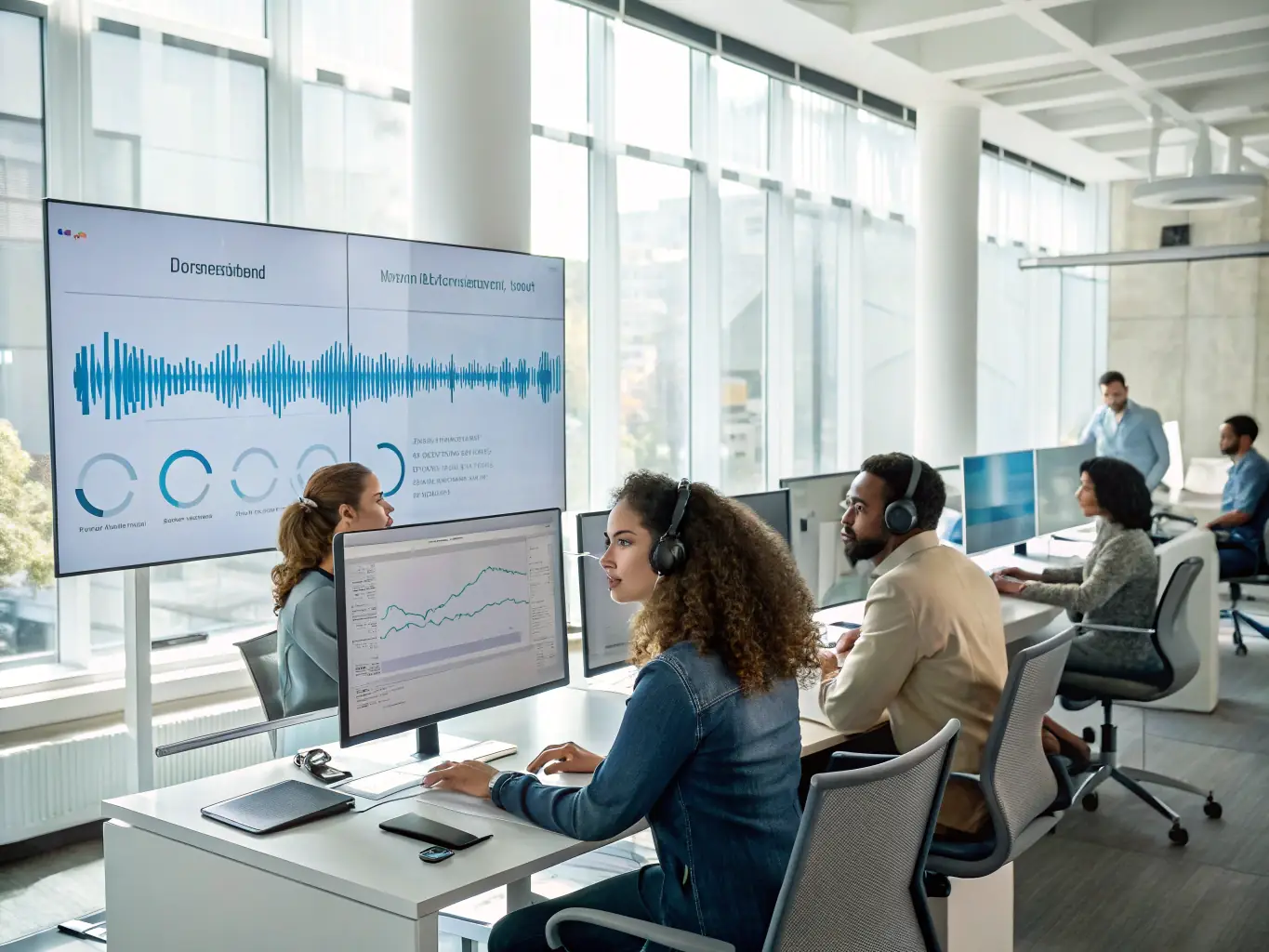
Intermedia Unite Integration
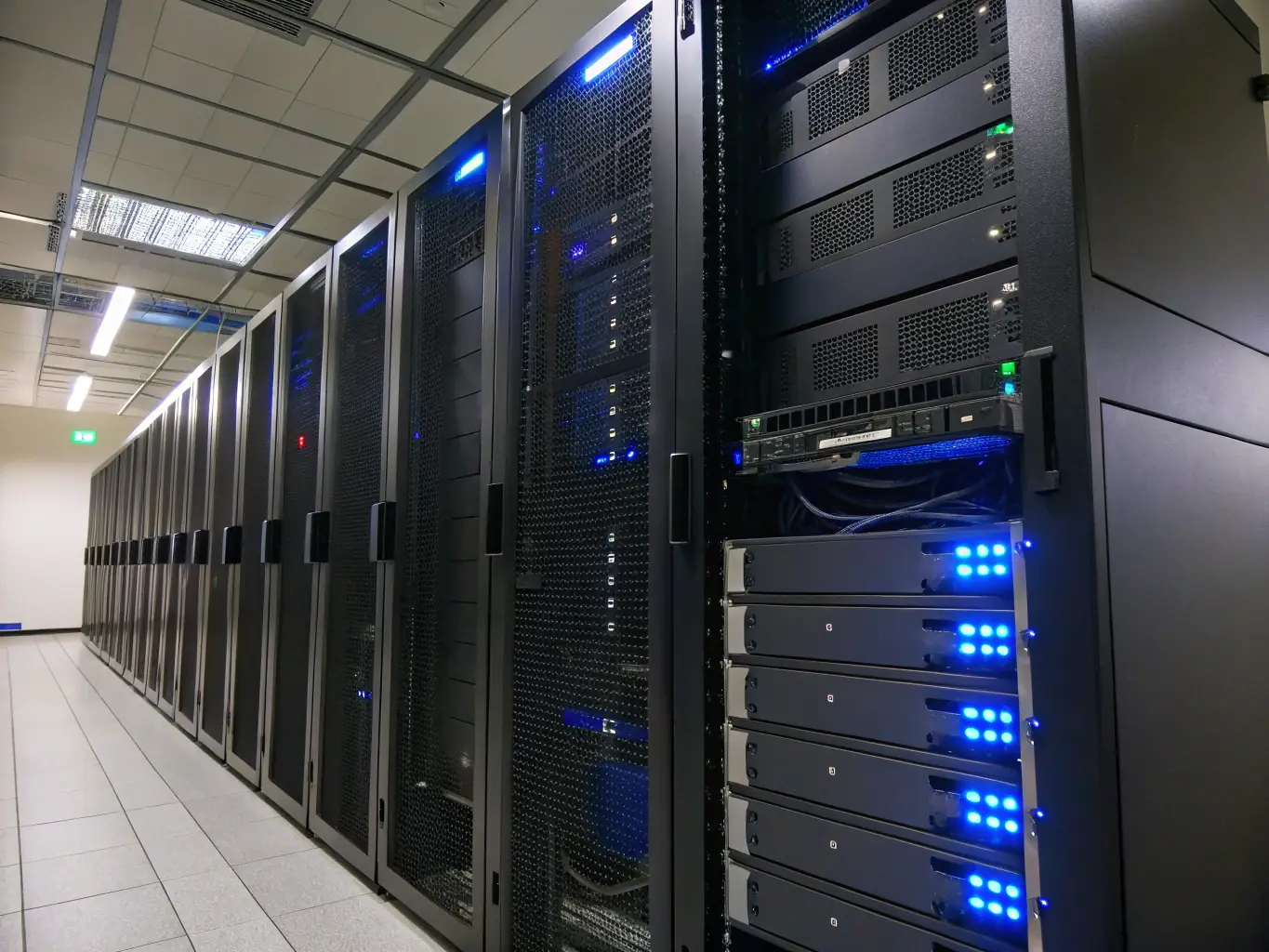
Reliable Hosted PBX