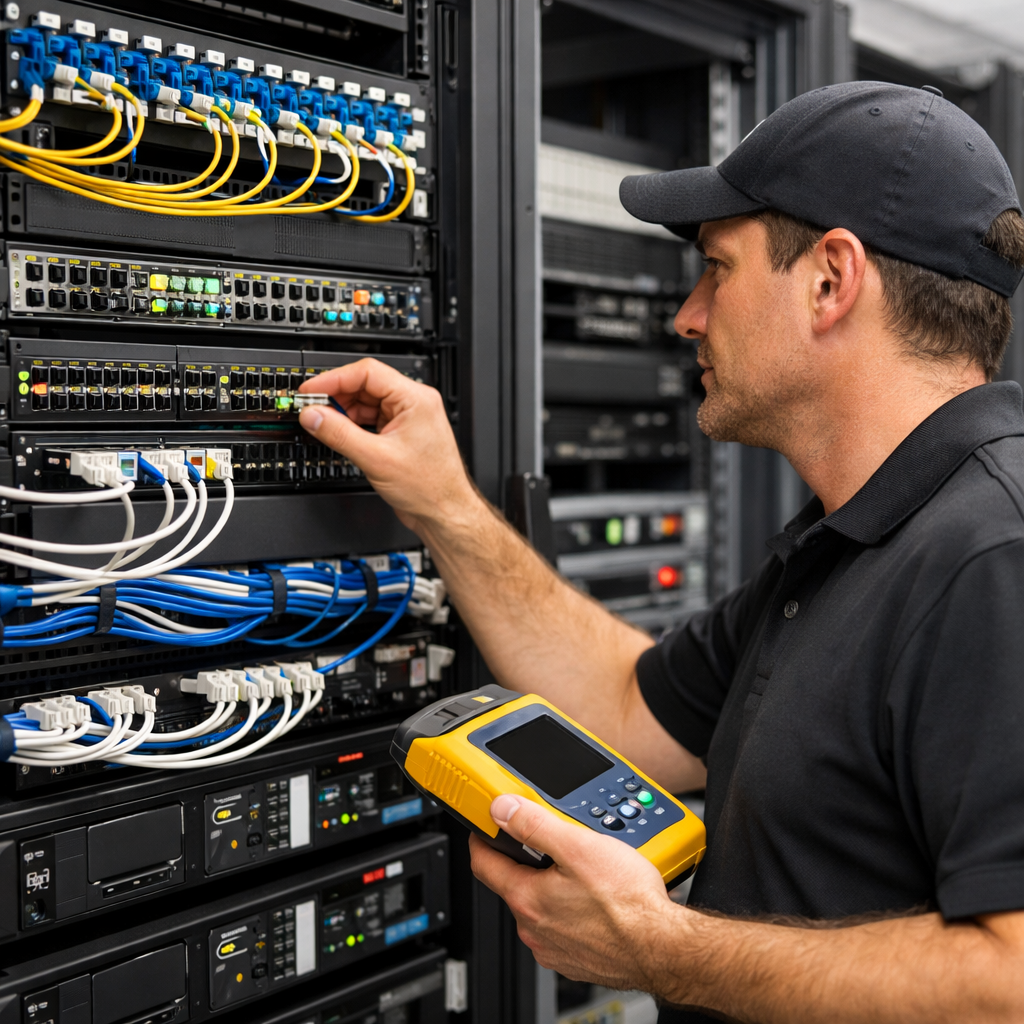
In today’s always-connected business environment, even a one-hour network outage can cost thousands in lost productivity, missed sales, failed transactions, and frustrated customers. For multi-location companies, healthcare offices, warehouses, retail stores, and property managers, downtime isn’t just inconvenient — it’s operationally dangerous.
Most businesses search for “network outage repair near me” only after something breaks. The smarter strategy? Prevent the outage before it happens.
Here’s how to protect your infrastructure, your revenue, and your reputation.
The Real Causes of Business Network Outages
Many companies assume outages are always the ISP’s fault. In reality, most downtime originates inside the building.
Common causes include:
• Fiber Cuts & Damaged Backbone Cabling
Construction activity, poor routing, or aging 62.5mm multimode fiber can create intermittent failures long before a total outage occurs.
• Improper Terminations & Patch Panel Issues
Loose keystone jacks, poorly crimped connectors, and unlabeled patch panels lead to silent failures that are difficult to trace.
• Overloaded or Aging Network Switches
Switches operating at 90–100% capacity increase latency and packet loss, especially affecting VoIP systems.
• ISP Router Failures
Carrier-provided routers are often basic devices not designed for enterprise traffic loads.
• Power & UPS Battery Failure
Many outages happen during minor power fluctuations — not full blackouts.
• Poor VoIP QoS Configuration
If Quality of Service is not properly configured, voice traffic competes with data traffic, causing dropped calls and jitter.
Why “Call Someone When It Breaks” Is the Wrong Strategy
Emergency IT support is necessary — but relying on reactive service costs more in the long run.
When businesses only act after a failure:
- Downtime lasts longer
- Root causes remain undocumented
- Band-aid fixes create future instability
- Labor costs increase under emergency SLAs
Preventative network maintenance typically costs a fraction of one emergency outage.
7 Steps to Prevent Network Downtime
1️⃣ Schedule an Annual Structured Cabling Inspection
Verify Cat 6 / Cat 6A terminations, inspect patch panels, and ensure labeling standards are consistent across MDF and IDF closets.
2️⃣ Perform Fiber Testing (OTDR & Light Level Testing)
Proactively identify signal degradation before failure.
3️⃣ Audit Switch & Firewall Capacity
Check port utilization, firmware versions, and backplane capacity.
4️⃣ Test UPS Systems & Battery Health
Replace aging batteries before failure — most have a 3–5 year lifespan.
5️⃣ Implement Redundant Internet Circuits
Dual carriers with automatic failover eliminate single points of failure.
6️⃣ Configure VoIP Failover Routing
Cloud VoIP systems should automatically reroute calls to mobile devices during outages.
7️⃣ Maintain Accurate Network Documentation
Updated rack elevations, labeling, and diagrams dramatically reduce troubleshooting time.
Why “More Bandwidth” Doesn’t Fix Most Problems
One of the biggest misconceptions is that upgrading from 300 Mbps to 1 Gig automatically improves performance.
Most business Wi-Fi and VoIP issues stem from:
- Poor access point placement
- Interference
- Lack of VLAN segmentation
- Improper QoS settings
- Cabling bottlenecks
Bandwidth alone rarely fixes infrastructure design flaws.
How Multi-Location Businesses Should Prepare
For companies operating multiple offices or retail locations, consistency is critical.
Standardization across locations should include:
- Identical rack layouts
- Standardized switch models
- Documented IP schema
- Labeled patch panels
- Defined escalation protocols
Without uniform standards, nationwide outages become chaotic and expensive.
What to Do Immediately When an Outage Happens
If your network goes down, follow this checklist:
- Confirm whether the ISP is down or internal infrastructure is failing
- Check MDF/IDF for power issues
- Verify fiber link lights and patching
- Reboot only after documenting current state
- Escalate to professional network support if root cause is unclear
Avoid random reboots that erase valuable diagnostic information.
The Business Impact of Being Proactive
Companies that invest in preventative network health:
- Experience fewer emergency service calls
- Maintain higher VoIP call quality
- Reduce truck rolls
- Improve employee productivity
- Protect customer transactions
- Strengthen cybersecurity posture
In many cases, a single avoided outage pays for years of preventative maintenance.
Nationwide Support with Local Expertise
DataTel 360 provides:
• Network outage repair in Atlanta
• Fiber optic repair and testing
• VoIP system monitoring and troubleshooting
• Structured cabling inspections
• Emergency IT & telecom support
• Multi-location rollout coordination
Headquartered in Atlanta, Georgia, with certified technicians available nationwide, DataTel 360 delivers consistent documentation, professional field service, and vendor-neutral solutions across the United States.
Don’t Wait for the Next Outage
If your business relies on cloud systems, VoIP phones, security cameras, Wi-Fi, or POS systems, your network is mission-critical infrastructure.
A preventative network health assessment costs far less than a single day of downtime.
Schedule a Network Infrastructure Audit Today
Protect your business before the next outage happens.